Teams
For small teams.
$4/user/monthbilled monthly
Talk to sales- Organization vaults and groups
- Admin console, with fill-only access
- Single sign-on included
- Audit log in the console
- Price locked while you stay
Business
An admin console, single sign-on, SCIM, policies and audit logs, on the end-to-end encryption that protects a person's vault. Built so that not even our server can change who's in your organization.
For teams and companies
Admins decide who gets what. Nobody but a vault's members, and your admins, can read it.
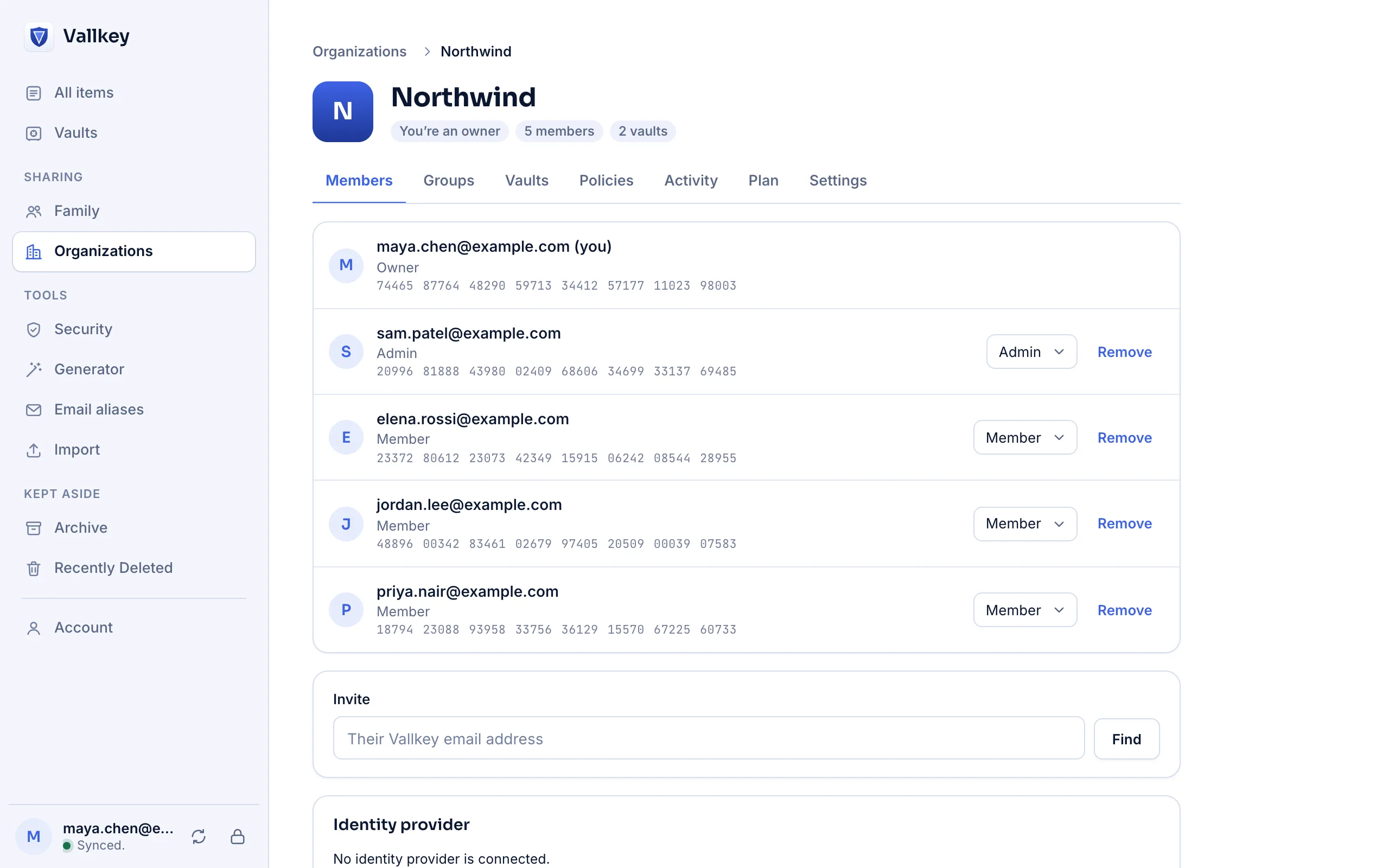
People, groups and vaults in one place, with who can reach what, in the web vault.
Okta, Microsoft Entra ID, Google Workspace or any OpenID Connect or SAML 2.0 provider, in both plans.
Your identity provider adds and removes people and groups. Someone deactivated loses your vaults at once.
Master password strength, locking, exports, Travel Mode and no sharing outside the company, signed so no server can relax them.
Sign-ins, members, groups, vaults, policies, and items opened or filled, sent to a webhook, Splunk, Datadog, Microsoft Sentinel or S3.
When someone leaves, see every item they could open and which still hold what they saw. Change each with the password fixer, and download a report.
Let someone sign in with a login without ever seeing, copying or exporting its password.
A member's logged-in device lets their new one in. If you allow it, an admin can let in someone who lost every device.
Run it on your own servers, and your people have no master password at all. It alone opens nothing.
Why it's different
Organizations are where other password managers were broken: in 2026, researchers showed a malicious server changing who was in one, and reading what it shared. In Vallkey the server stores and passes things along, and holds no say.
Members, roles, groups, who has which vault, and your policies are one signed document. The key that signs it lives only on your admins' devices.
A member's device takes a roster only with your organization's signature, by the key it pinned when it joined and checked against the public key log.
The one thing a server can always do is stop sending. So removing someone works at once, and adding someone always takes an admin's device.
Single sign-on
Your identity provider says who someone is. It never holds the keys to their vault, and neither do we.
On a new device, with their master password and Secret Key as always. Those still make every key, on the device.
The app opens your provider's sign-in page and shows a six-digit code. Your second factors and device checks apply.
A page asks whether to allow this login, showing the same six digits. Only then does the device get the organization's vaults.
Deactivate someone at your provider, and they get no new session. A company that wants no master passwords at all can run a key connector on its own servers. How single sign-on works
Roles and access
Give a vault to a group or to one person, to edit, to view, or only to fill.
| On a vault | Sees passwords | Fills them | Adds and changes |
|---|---|---|---|
| Can edit | |||
| Can view | |||
| Fill onlySigns in, and never sees the password |
For your engineers
The command line gives scripts and builds what they need from a vault, by reference.
Secrets for a command's environment or a config file, named by reference and never pasted.
A token for CI that opens only the vaults shared with it, and is taken back by deleting it.
An agent asks, a person approves, and Vallkey fills the page. The agent never sees the password.
The foundation
The same core, in every app, for a person and for a company.
Removing someone gives the vault, and every item in it, a new key.
Every key you share to is checked against a public log, so a server can't slip in its own.
Each vault carries a signed manifest: devices catch a server that drops, rolls back or changes items.
Windows, Mac, Linux, iPhone, Android and every major browser, with the same protections everywhere.
Each device keeps the vault, encrypted. An outage pauses sync and locks nobody out.
1Password, LastPass, Bitwarden, Dashlane, Keeper and more, with a report before anything is saved.
For your security team
What our servers can and can't see, and the answers a review asks for.
Pricing
A new organization tries everything for 14 days. After that, a price locked for as long as you stay, like every Vallkey plan.
For small teams.
$4/user/monthbilled monthly
Talk to salesFor teams and companies.
$7/user/monthbilled monthly
Talk to salesPrices in US dollars, billed each month for each person, with single sign-on included. A new organization tries everything for 14 days.
More than 500 people, or need an invoice or a purchase order? Talk to us.
Talk to us. We'll set up your organization, and every new organization tries everything for 14 days.
No. It's part of both Teams and Business. SCIM, sending the audit log to your log system, and the policies for exports and Travel Mode take Business.
No. It says who someone is, and never holds a key. Each person's keys come from their master password and Secret Key, on their own devices. A company that wants no master passwords at all can run a key connector on its own servers.
No. Vaults are encrypted on your people's devices with keys we never have, titles, website addresses and tags included. And who's in your organization is signed with a key only your admins' devices hold, which every member's device checks.
Admins can open every vault of the organization: that's what lets them grant access. They can't open a member's own vaults, unless you turn on letting admins approve members' new devices, which every member's app then says plainly.
Every vault they had gets a new key, so nothing saved afterwards reaches them. Offboarding then lists each item they could open and which still hold what they saw, with a button to change each password, and a report.
The same server that runs Vallkey Cloud runs on your own machines., with organizations, single sign-on, SCIM and audit logs included.
In the region you choose: Vallkey Cloud has separate regions in the United States and the European Union, and each account stays in the region chosen at sign-up, backups included.
Each person exports from the old app and imports the file in Vallkey, which shows what will come over before anything does. The switch guides show each step.
Yes: a data processing agreement is part of the terms, and it's on the legal pages. Plans are bought by card, by an organization's owner. For annual contracts, invoices and purchase orders, tell us what your purchasing needs.