A copy, not your item
The link holds a copy of what the item shows: its title, fields, websites and notes. Never its password history, passkeys or files.
Share links
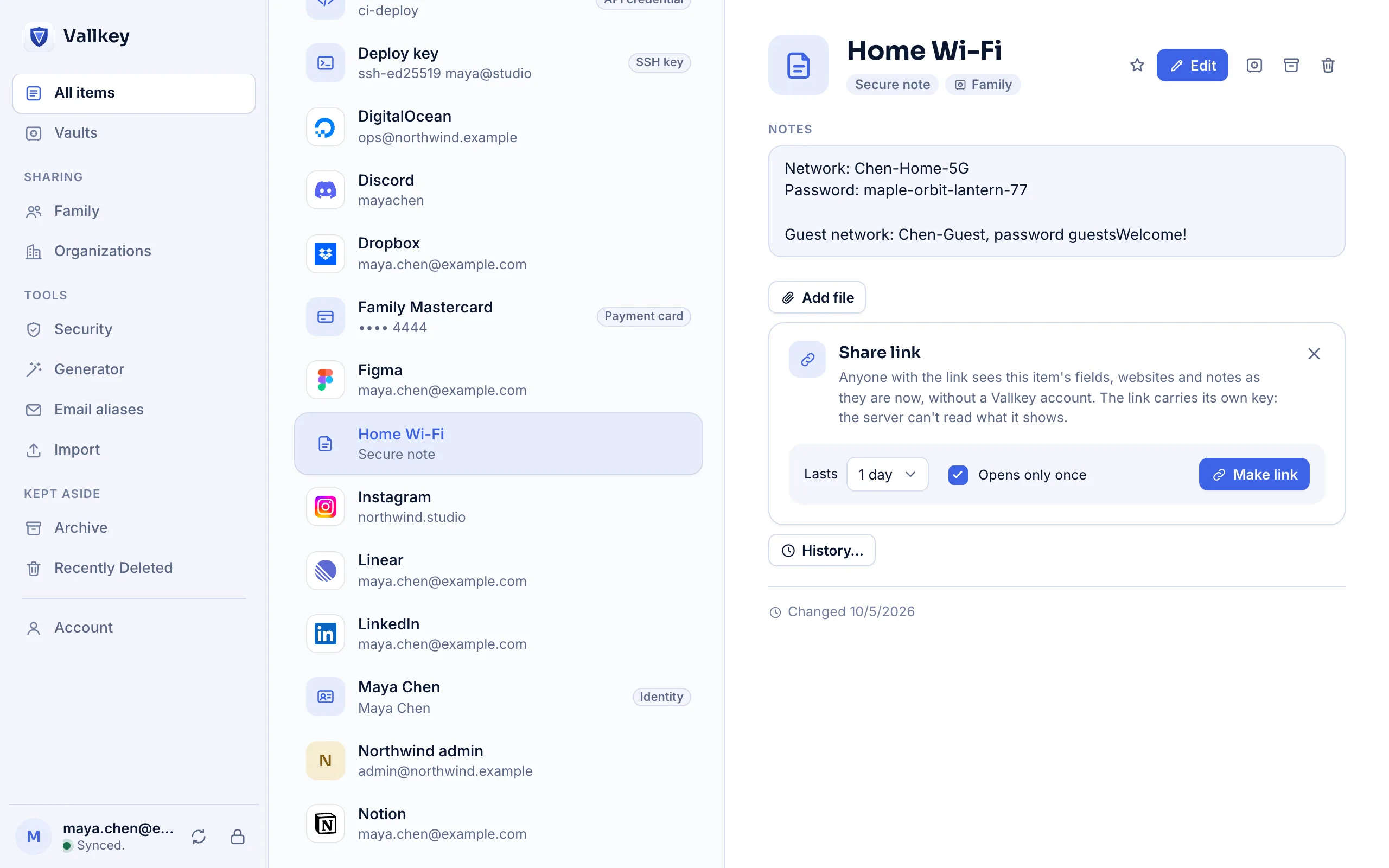
A share link shows a single item to someone who doesn't use Vallkey: for a limited time, once if you like, and never readable by our servers.
How it works
On any item. Pick how long the link lasts, up to 30 days, and whether it opens only once.
Copy the link and send it however you like. The key that opens the item is part of the link itself.
Each item lists its links. Revoke one, and it stops opening at once.
The details
The link holds a copy of what the item shows: its title, fields, websites and notes. Never its password history, passkeys or files.
The key sits after the # in the link, and browsers don't send that part to servers. We store ciphertext we can't open.
The view that uses a link up deletes its content from the server. Expired and revoked links are deleted too.
Whoever has the link can read the item, and revoking can't unshare what someone already read. For anything that matters, change the password afterwards.
Availability
A shared vault is for people with Vallkey accounts, who keep access and see changes. A share link is a one-off copy for anyone.
Yes, until it expires, unless you make it open only once.
Vallkey opens soon. Join the waitlist to hear first.