Vallkey JSON, with files
Every item exactly as stored, with passkeys and their private keys, password history and tags, and as a ZIP file the files kept with items too. Importing it gives back the same items.
Export in open formats
Export your whole vault in open formats, on every plan. A password manager you can't leave isn't yours.
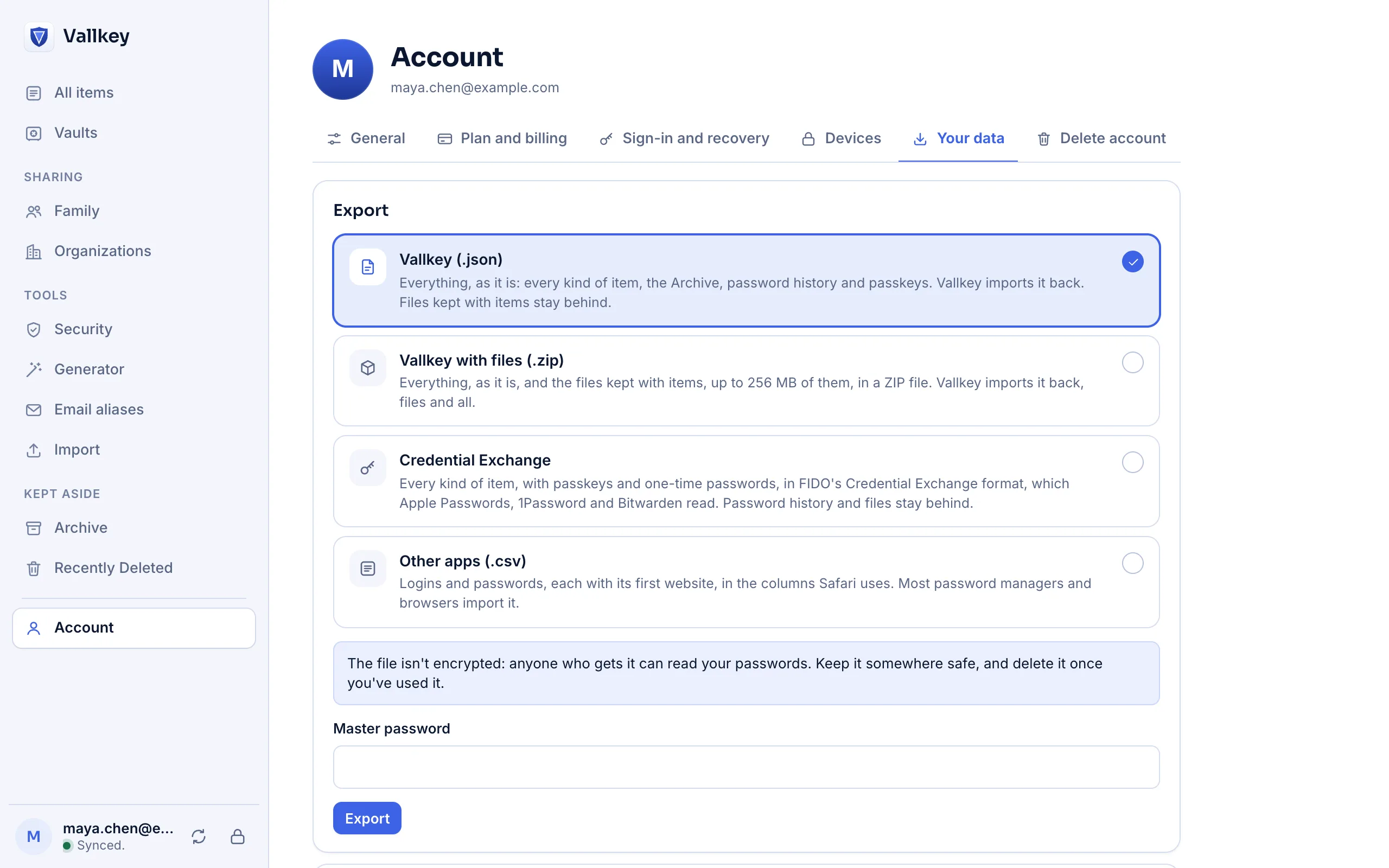
How it works
Under Account. Vallkey asks for your master password first, so nobody at an unlocked device can take everything in one click.
Vallkey's own JSON, with your files if you like, a Credential Exchange file, or CSV.
It isn't encrypted. Use it, then delete it.
The details
Every item exactly as stored, with passkeys and their private keys, password history and tags, and as a ZIP file the files kept with items too. Importing it gives back the same items.
FIDO's standard format, which Apple Passwords, 1Password and Bitwarden read: logins with their passkeys and one-time codes, cards, identities, passports, SSH keys and notes.
Logins and passwords in the columns most password managers and browsers read. The page says how many items of other kinds it leaves out.
Items in Recently Deleted, settings, and files except in the Vallkey format with files.
Availability
No. Export is on every plan, always. It's part of the promise that your vault is yours.
Yes, with a Credential Exchange file, to any app that reads the format.
Free forever for unlimited passwords and devices. No card needed.