Nothing to find
While it's on, the apps show no Travel Mode setting and no mark on vaults. Someone looking through your device finds nothing to turn off.
Travel Mode
Mark the vaults that are safe for travel, and turn Travel Mode on. Every other vault leaves all your devices, and our server gives none of them back until you turn it off.
How it works
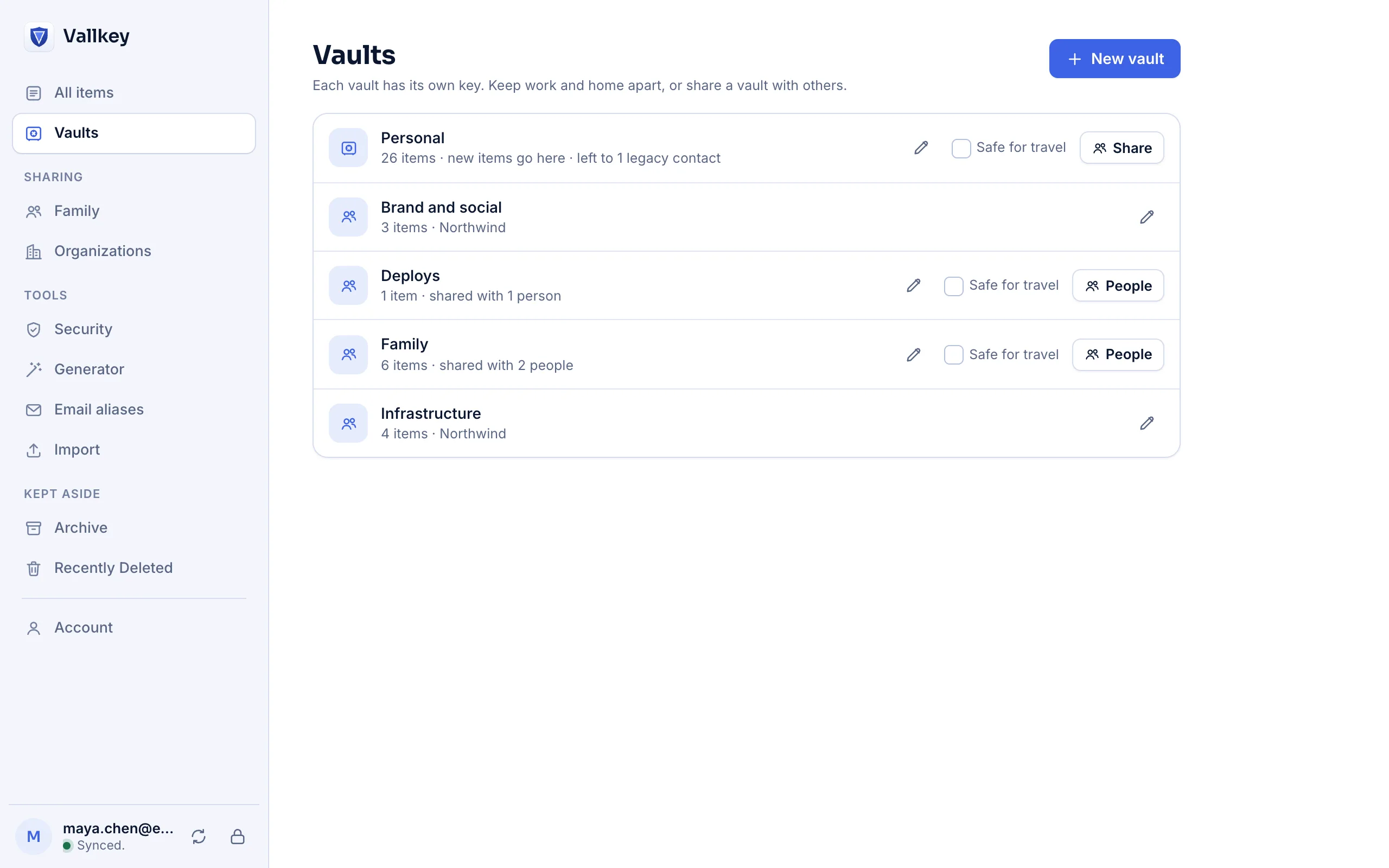
In Vaults, mark the vaults you're happy to carry as Safe for travel. At least one vault of your own must be.
Vallkey says which vaults stay and which leave, and asks. The others leave this device at once, and your other devices as soon as they sync.
Log in to the web vault and turn it off. Every vault comes back, whole, on every device.
The details
While it's on, the apps show no Travel Mode setting and no mark on vaults. Someone looking through your device finds nothing to turn off.
It isn't a setting the apps keep to themselves. Syncing, logging in on a new device or reinstalling an app brings nothing back.
Each change is a statement your account signs. The server can't make one up, and your devices won't take an older one.
An organization on Business decides whether its vaults may travel at all. Its rule is signed with its policies, and applies whatever a person marked.
It hides; it doesn't resist force. Someone made to log in to the web vault can turn it off. Export files and share links made earlier are outside it, and edits a device hadn't uploaded to a vault that leaves are lost.
Availability
In the web vault only, under Account, after logging in. That's deliberate: the apps on the device you carry show nothing about it.
Yes. The mark is your own, and changes nothing for the others who share the vault.
They go in a vault you marked safe.
Vallkey opens soon. Join the waitlist to hear first.