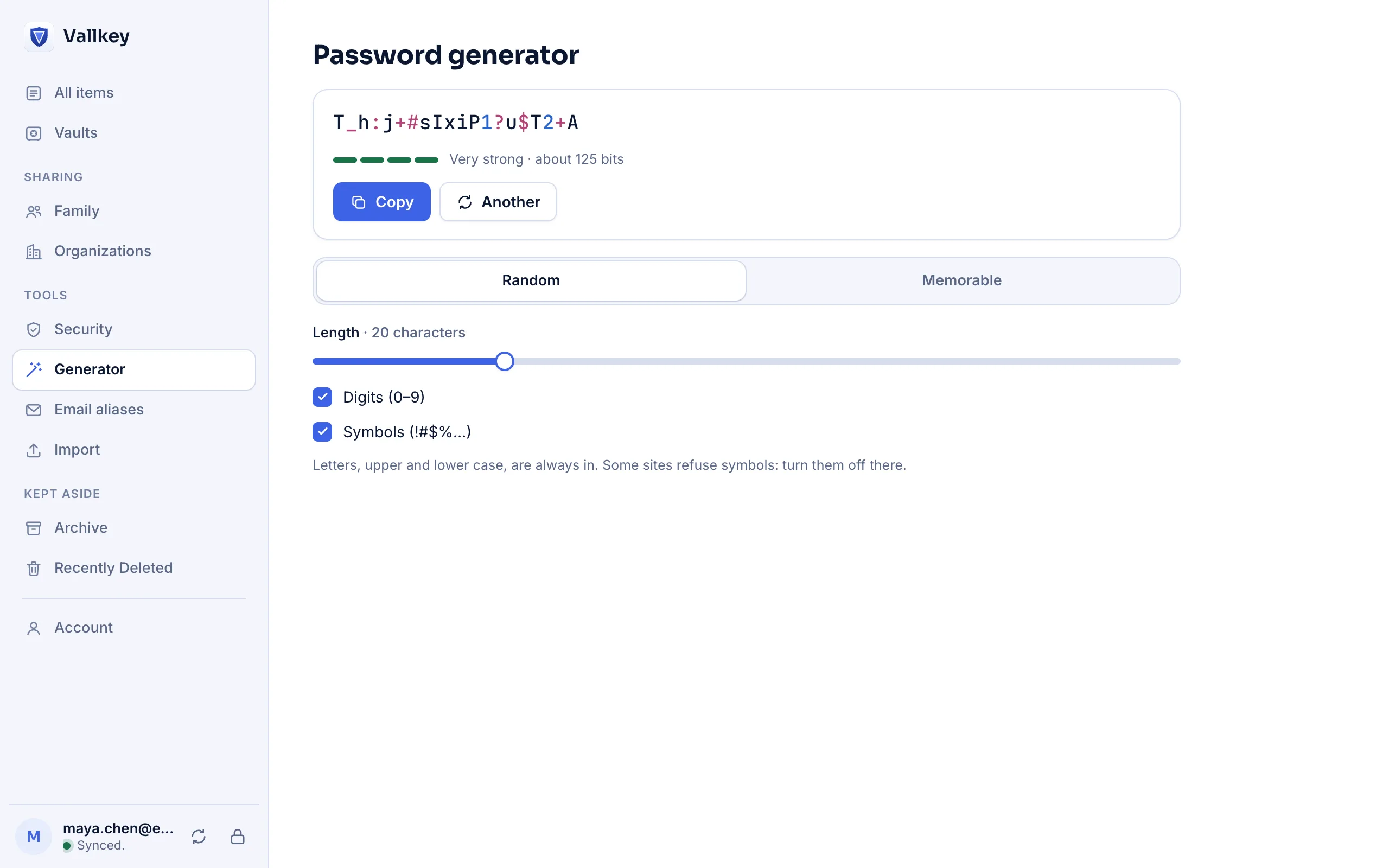
20 characters by default
Lower case, upper case, digits and safe symbols, with at least one of each: about 124 bits of randomness.
Password generator
Random passwords and memorable passphrases, drawn from your system's own random numbers and shaped to the rules each site publishes, so the first one Vallkey suggests is accepted.
How it works
Vallkey suggests a strong password under the new-password field, fills the confirmation field too, and saves the login at once.
The wand in the browser extension, and a view in every app: random characters, or memorable words.
Choose the length, digits and symbols. In the apps and the extension, what you copy is cleared from the clipboard after 90 seconds.
The details
Lower case, upper case, digits and safe symbols, with at least one of each: about 124 bits of randomness.
For the 436 sites in Apple's open password-rules list, the generator keeps to the site's length limits and its required and forbidden characters.
Every character is drawn uniformly from the operating system's generator, with rejection sampling, so no character is likelier than another.
Words from EFF's word list, for the few passwords you have to type or say out loud.
Availability
Some sites accept fewer symbols than they say. Turn symbols off in the generator for that site, and make the password longer instead.
Yes. The password and passphrase generators under Free tools on this site run in your browser and send nothing.
Vallkey opens soon. Join the waitlist to hear first.